> ## Documentation Index
> Fetch the complete documentation index at: https://kasava.dev/docs/llms.txt
> Use this file to discover all available pages before exploring further.
# Mentions
> Tag @kasava in your connected task manager to run grounded analysis without leaving the issue
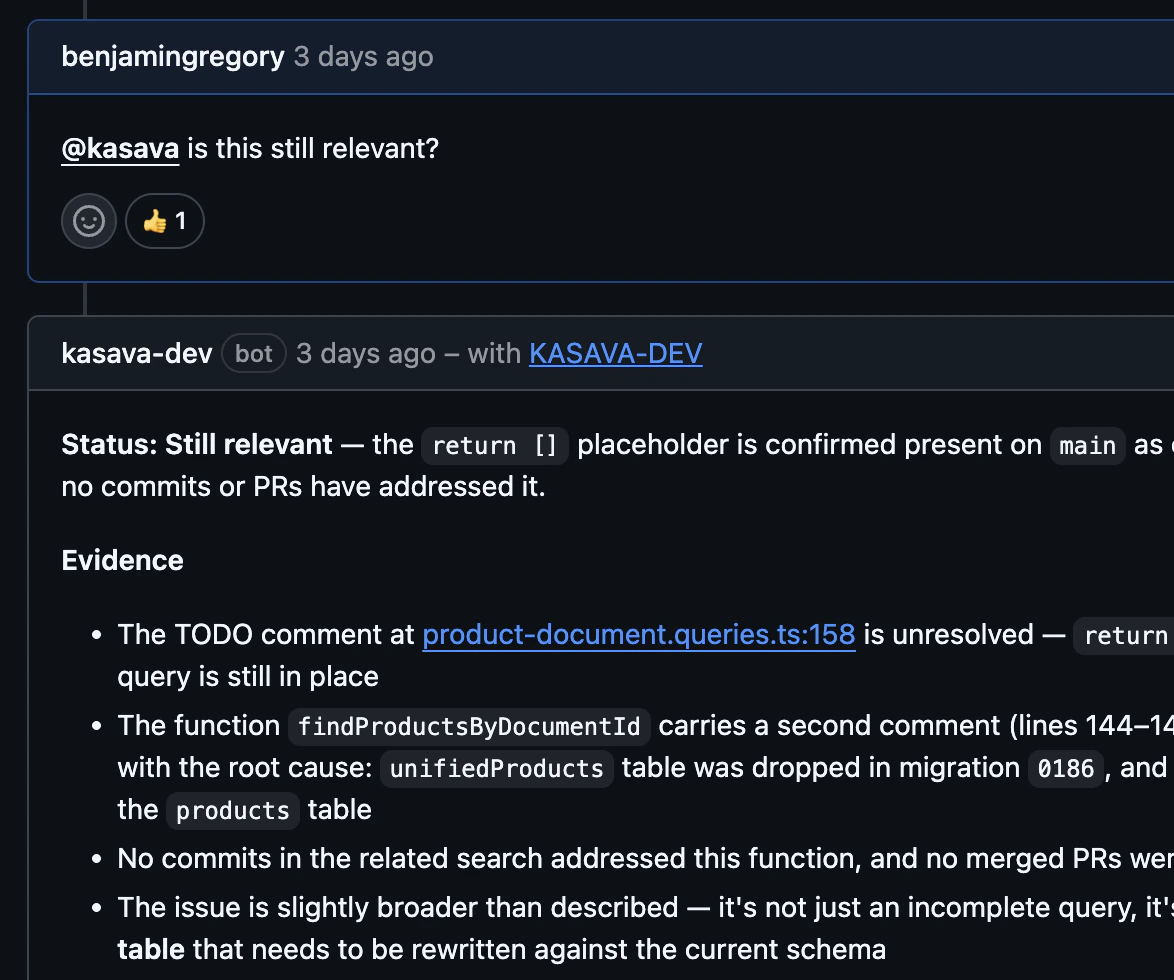
`@kasava` mentions let your team trigger Kasava from inside the task manager you already use. Drop `@kasava` (or `@Kasava`, depending on the platform's bot identity) into an issue, comment, card, or page and Kasava replies in-thread with a grounded answer — pulled from your indexed code, product graph, prior issues, and connected sources.
This is the same intelligence as the [Kasava Agent](/docs/concepts/kasava-agent), but it meets your team where work happens. No tab switch, no copy-paste.
 ## Supported platforms
| Platform | Surface | Bot identity |
| ---------- | --------------------- | --------------------------------------------------------------------------- |
| **GitHub** | Issues, PRs, comments | Kasava GitHub App |
| **Linear** | Issues, comments | Kasava bot user |
| **Jira** | Issues, comments | Connecting user (3LO OAuth — comments authored by whoever installed Kasava) |
| **Asana** | Tasks, comments | Connecting user (3LO OAuth — same caveat as Jira) |
| **Trello** | Cards, comments | Kasava bot |
| **Notion** | Pages, comments | Kasava integration |
On Jira and Asana, replies are authored as the user who connected the integration. A dedicated Kasava service-account user is the workaround until first-party Connect/Forge apps ship.
## How a mention is processed
1. The platform webhook fires; Kasava picks up the mention text.
2. A fast classifier (Haiku) reads the comment and decides which **action type** the user is asking for — e.g. `summarize`, `impact`, `diagnose`. Multiple actions can be detected in one mention.
3. If the action maps to a dedicated workflow, Kasava runs the grounded **12-step evidence pipeline** (repo layout → issue parse → branch classify → semantic code search → related work → recent commits → cross-branch evidence → synthesis → render).
4. If the classifier finds no recognized action, the request falls through to the conversational [Kasava Agent](/docs/concepts/kasava-agent) — same tools, looser structure.
5. The reply is formatted for the target platform (collapsibles, ADF, rich text) and posted back in-thread.
## Built-in actions (workflow-backed)
Each of these has a dedicated workflow that grounds its answer in your code and product graph. They produce structured, cited output — not free-form chat.
| Action | What it returns |
| ---------------------------------------- | ------------------------------------------------------------------------------ |
| `summarize` | Headline, ask, key points, decisions, open questions |
| `context` (alias: `relevance`, `triage`) | Triage: still relevant? what already exists? what's missing? recommendation |
| `impact` (Trello: `analyze`) | Blast radius (files, symbols, dependencies), risk, test gaps, rollout concerns |
| `diagnose` | Likely root cause with confidence, alternatives, repro, suggested fix |
| `explain` | Subject, behavior, key symbols, walk-through, edge cases, pitfalls |
| `plan` | Problem, approach, affected files, phases, test strategy, rollout |
| `design-doc` | Context, goals, non-goals, design, alternatives, tradeoffs, impl notes |
| `prototype` | Framework, existing patterns reused, files to add/modify, todos |
| `document` | Overview, behavior, configuration, API surface, examples, related reading |
| `changelog` | User-facing headline, type, scope, breaking changes, commits cited |
| `related` | Related PRs, commits, issues, docs, design files across platforms |
| `report` | Findings with severity, metrics, recommendations, data gaps |
| `review-prep` (Trello: `review`) | Affected systems, risk, test gaps, review checklist, similar past PRs |
| `sync-status` | Per-platform mirrors, drift warnings, recommendations |
| `postmortem` | Summary, timeline, root cause, action items, prevention |
| `insights` | Themes, sentiment, grounded pain points, feature requests with build status |
These work identically on every platform. Platform-specific aliases (`analyze` and `review` on Trello, `relevance`/`triage` on GitHub and Linear) route to the same workflows.
## When mentions fall back to chat
If the classifier can't match your intent to a built-in action — for example, "@kasava what do you think we should ship next?" or any custom action type your org has defined — the request runs through the free-form [Kasava Agent](/docs/concepts/kasava-agent). You still get tool-use across the product graph, code intelligence, and connected sources, but the output is conversational rather than a structured card.
The fallback also catches infrastructure failures: if a workflow throws mid-run, Kasava degrades to the chat agent with the original context preserved so the reader still gets an answer (flagged `fallback: true` in logs).
## Character limits per platform
Replies that exceed a platform's comment limit are split across multiple comments at paragraph boundaries.
| Platform | Limit per comment | Behavior on overflow |
| ---------- | --------------------------------------------------------- | ----------------------------------------------------------------------------------------------- |
| **GitHub** | \~65,000 chars (UI soft cap) | Posted as a single comment |
| **Linear** | No enforced cap | Posted as a single comment; collapsible `
## Supported platforms
| Platform | Surface | Bot identity |
| ---------- | --------------------- | --------------------------------------------------------------------------- |
| **GitHub** | Issues, PRs, comments | Kasava GitHub App |
| **Linear** | Issues, comments | Kasava bot user |
| **Jira** | Issues, comments | Connecting user (3LO OAuth — comments authored by whoever installed Kasava) |
| **Asana** | Tasks, comments | Connecting user (3LO OAuth — same caveat as Jira) |
| **Trello** | Cards, comments | Kasava bot |
| **Notion** | Pages, comments | Kasava integration |
On Jira and Asana, replies are authored as the user who connected the integration. A dedicated Kasava service-account user is the workaround until first-party Connect/Forge apps ship.
## How a mention is processed
1. The platform webhook fires; Kasava picks up the mention text.
2. A fast classifier (Haiku) reads the comment and decides which **action type** the user is asking for — e.g. `summarize`, `impact`, `diagnose`. Multiple actions can be detected in one mention.
3. If the action maps to a dedicated workflow, Kasava runs the grounded **12-step evidence pipeline** (repo layout → issue parse → branch classify → semantic code search → related work → recent commits → cross-branch evidence → synthesis → render).
4. If the classifier finds no recognized action, the request falls through to the conversational [Kasava Agent](/docs/concepts/kasava-agent) — same tools, looser structure.
5. The reply is formatted for the target platform (collapsibles, ADF, rich text) and posted back in-thread.
## Built-in actions (workflow-backed)
Each of these has a dedicated workflow that grounds its answer in your code and product graph. They produce structured, cited output — not free-form chat.
| Action | What it returns |
| ---------------------------------------- | ------------------------------------------------------------------------------ |
| `summarize` | Headline, ask, key points, decisions, open questions |
| `context` (alias: `relevance`, `triage`) | Triage: still relevant? what already exists? what's missing? recommendation |
| `impact` (Trello: `analyze`) | Blast radius (files, symbols, dependencies), risk, test gaps, rollout concerns |
| `diagnose` | Likely root cause with confidence, alternatives, repro, suggested fix |
| `explain` | Subject, behavior, key symbols, walk-through, edge cases, pitfalls |
| `plan` | Problem, approach, affected files, phases, test strategy, rollout |
| `design-doc` | Context, goals, non-goals, design, alternatives, tradeoffs, impl notes |
| `prototype` | Framework, existing patterns reused, files to add/modify, todos |
| `document` | Overview, behavior, configuration, API surface, examples, related reading |
| `changelog` | User-facing headline, type, scope, breaking changes, commits cited |
| `related` | Related PRs, commits, issues, docs, design files across platforms |
| `report` | Findings with severity, metrics, recommendations, data gaps |
| `review-prep` (Trello: `review`) | Affected systems, risk, test gaps, review checklist, similar past PRs |
| `sync-status` | Per-platform mirrors, drift warnings, recommendations |
| `postmortem` | Summary, timeline, root cause, action items, prevention |
| `insights` | Themes, sentiment, grounded pain points, feature requests with build status |
These work identically on every platform. Platform-specific aliases (`analyze` and `review` on Trello, `relevance`/`triage` on GitHub and Linear) route to the same workflows.
## When mentions fall back to chat
If the classifier can't match your intent to a built-in action — for example, "@kasava what do you think we should ship next?" or any custom action type your org has defined — the request runs through the free-form [Kasava Agent](/docs/concepts/kasava-agent). You still get tool-use across the product graph, code intelligence, and connected sources, but the output is conversational rather than a structured card.
The fallback also catches infrastructure failures: if a workflow throws mid-run, Kasava degrades to the chat agent with the original context preserved so the reader still gets an answer (flagged `fallback: true` in logs).
## Character limits per platform
Replies that exceed a platform's comment limit are split across multiple comments at paragraph boundaries.
| Platform | Limit per comment | Behavior on overflow |
| ---------- | --------------------------------------------------------- | ----------------------------------------------------------------------------------------------- |
| **GitHub** | \~65,000 chars (UI soft cap) | Posted as a single comment |
| **Linear** | No enforced cap | Posted as a single comment; collapsible `` rendered as native `>>>` blocks |
| **Jira** | 32,767 chars (hard ADF limit) | Auto-chunked at \~30,000 chars to leave headroom for ADF overhead |
| **Trello** | 16,384 chars (hard limit) | Auto-chunked across multiple comments |
| **Notion** | 2,000 chars per rich-text span, max 100 spans per comment | Auto-sliced; fenced code blocks flattened to inline (Notion comments don't support code blocks) |
| **Asana** | No enforced cap | Posted as a single comment; collapsibles flattened to plain headings |
Workflow output is designed to fit comfortably on every platform — these caps are guardrails, not the target length.
## Custom commands and templates (coming soon)
Today the mention system ships with the 16 built-in actions above. Per-org customization is on the roadmap:
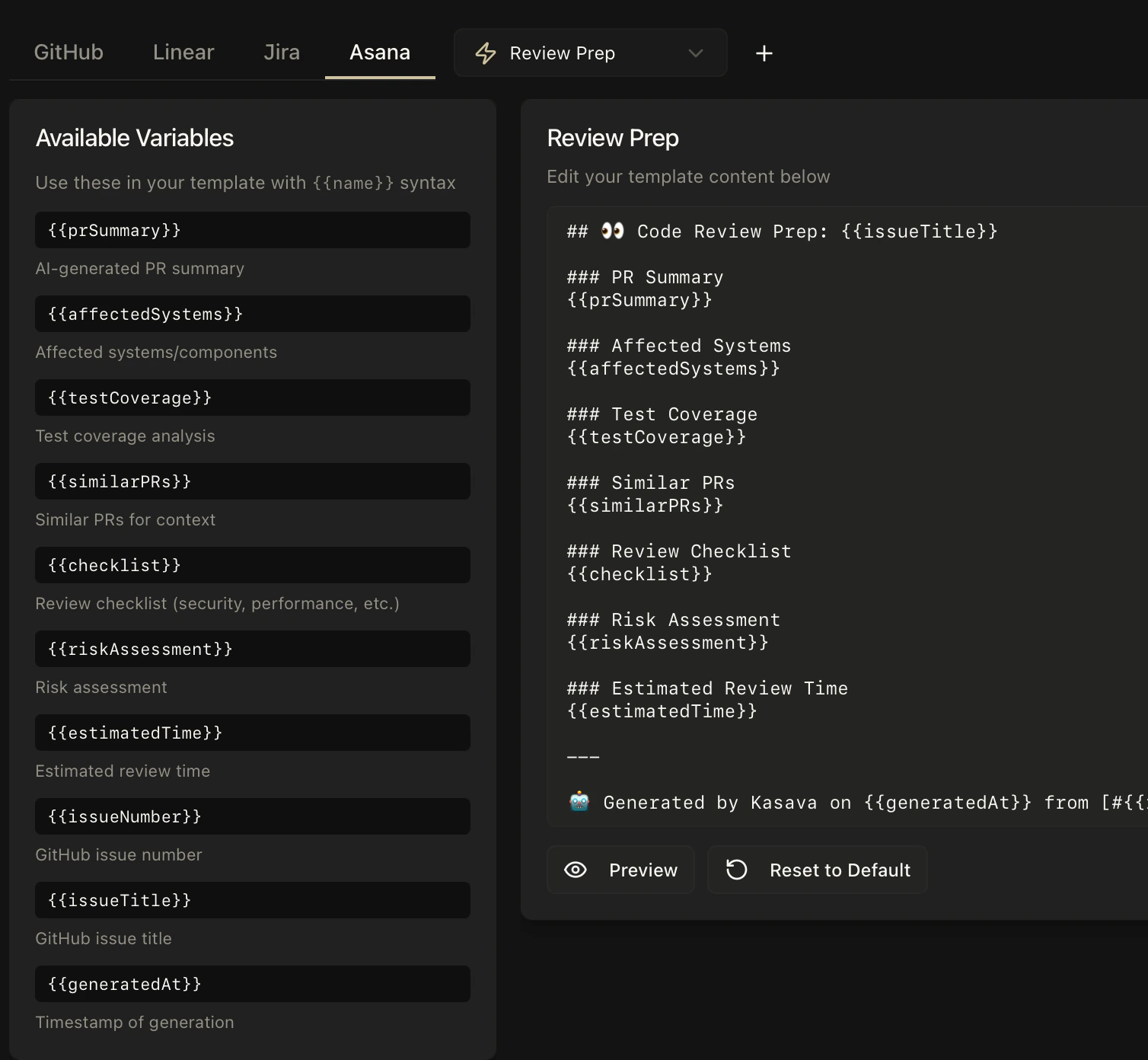
* **Custom action types** — define your own trigger keywords (e.g. `security-review`, `qa-checklist`) with bespoke instructions. *Not yet available* — until it ships, frame your request in natural language and the classifier will route to the closest built-in action or to the conversational fallback.
* **Custom output templates** — override the default format of any built-in action per platform (e.g. shorter `summarize` replies for Linear, a stricter `changelog` schema for GitHub). *Not yet available* — every action currently renders with its built-in formatter.
We'll surface configuration in **Settings** once these land. In the meantime, the built-in workflows are tuned to produce useful output on every supported platform out of the box.
 ## Related
The unified chat agent that powers mentions and the in-app chat
Connect GitHub, Linear, Jira, Asana, Trello, and Notion
## Related
The unified chat agent that powers mentions and the in-app chat
Connect GitHub, Linear, Jira, Asana, Trello, and Notion