

Why workspaces exist
There’s a gap in most product toolchains between “what are customers saying?” (Dovetail, Grain, user interviews) and “what are we building?” (Linear, Jira, GitHub). The messy middle — where evidence becomes conviction, conviction becomes decisions, and decisions become specs — usually lives in scattered Notion docs and Slack threads. Workspaces own that middle. They give you a single bounded space for the upstream product work that happens before a plan crystallizes.Anatomy of a workspace
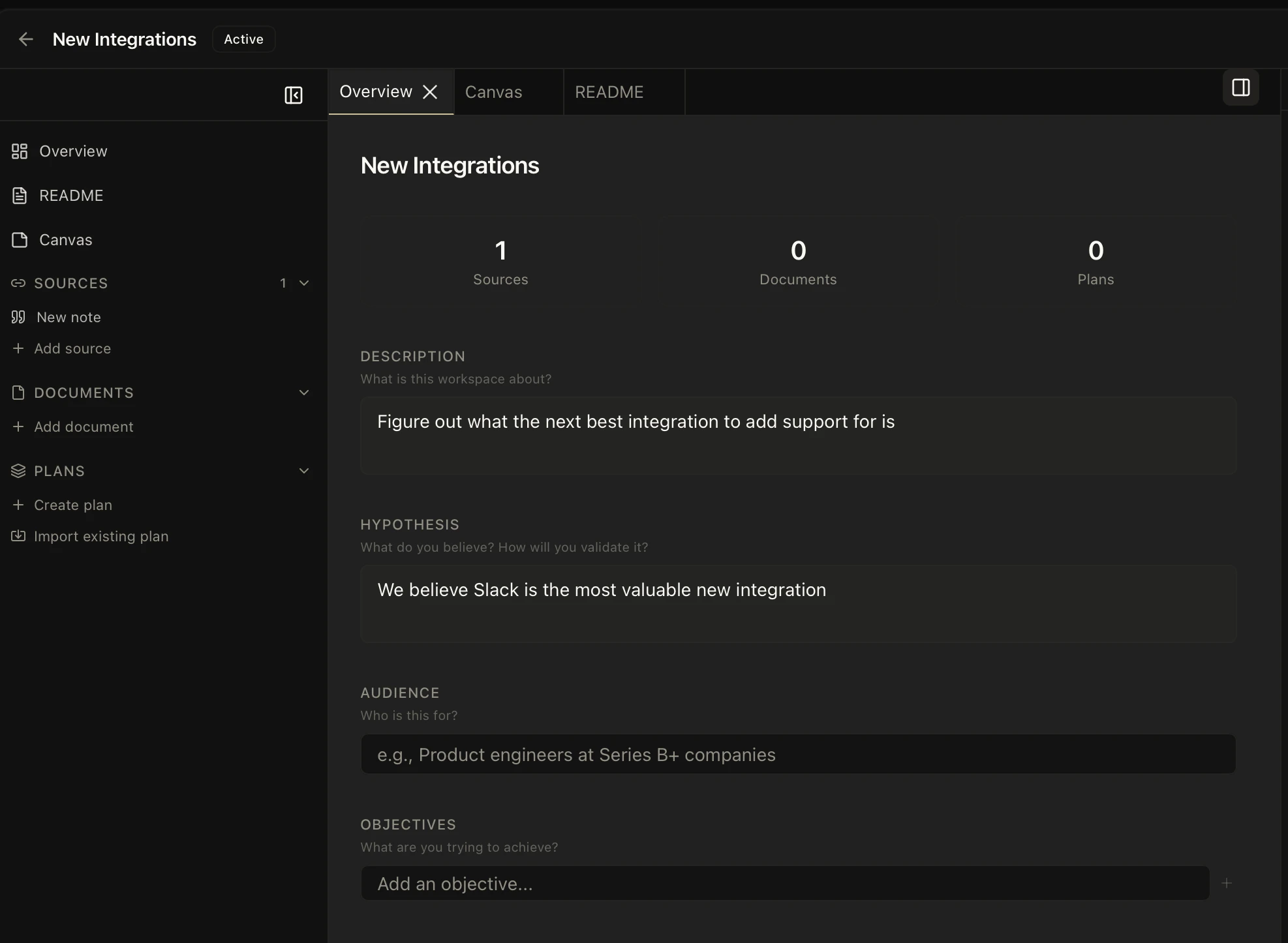
- Context — an AI-maintained summary of what this initiative is about, updated as you add material
- Sources — documents, URLs, notes, uploads, and conversation transcripts that serve as evidence
- Hypotheses — explicit beliefs with links back to the evidence that supports or contradicts them
- Decisions — a decision journal with recorded rationale, alternatives, and outcomes
- Plans — when the thinking is solid, formalized plans link out to documents and work items
- Workspace-scoped chat — every message to the Kasava Agent inside a workspace gets the workspace’s context auto-injected
How context injection works
Everything scoped to the workspace — chat messages, plan generation, document drafting — receives the workspace’s instructions, sources, hypotheses, and decisions as context. You don’t paste the same background into every prompt. The Agent already has it. This is how workspaces compound: the more evidence and decisions you accumulate, the better every subsequent operation gets.Workspace vs. Product vs. Organization
You can have many workspaces per product, and you can move between them without losing context — each keeps its own sources, decisions, and chat history.
When to create a workspace
Create a workspace when you’re starting to learn, believe, or decide about something:- A new initiative you’re scoping out
- A known problem area you’re digging into
- An experiment you’re running and tracking results from
- A competitor response you’re planning
Related
The Product Graph
The code- and commit-grounded knowledge model workspaces plug into
Plans & Work Items
What happens when workspace thinking is ready for execution
The Kasava Agent
The chat agent, with workspace context auto-injected
Products
The container that holds your workspaces